RippleRipple
NewMultiple times per alarm, re-ring & widgets

Alarm for any interval
1 to 99.
Hours, days, weeks, months.

Your phone can set an alarm for tomorrow. Ripple sets one for every 3 days, 11 days, or 6 weeks — with the reliability and polish you expect from a utility you trust with your health.

See how it worksFree · No credit card · 1–99 interval
9:41

Ripple

9:41AM

+

Thursday, 23 April 2026

Next alarm: 12:30 PM — in 2h 49m

💊

Medication

Today · 12:30 PM

8:00 AM12:30 PM7:00 PM
↻ Every 1 day
🌱

Water the Plants

Tomorrow · 8:30 AM

↻ Every 2 days
🔧

HVAC filter

Jun 24 · 9:00 AM

↻ Every 3 months
AlarmsHistoryTemplatesSettings
Alarms · home

New in Ripple Pro

Built for real medication schedules

Several doses a day, rings that are easy to miss, and a reminder you can see at a glance — the three things people asked for most, now in Ripple Pro.

iPhone and Android

💊

Blood pressure meds

Next · Today · 12:30 PM

8:00 AM12:30 PM7:00 PM
↻ Every 1 day
NewPro

Multiple times per alarm

One alarm can ring up to 6 times a day — morning, lunch and evening doses under one label and one repeat schedule.

  • Counts as a single alarm
  • Pause or skip all of a day's rings at once
  • Each ring logged separately in History
  1. 8:00 AM

    Ring

  2. 8:15 AM

    Re-ring 1 of 6

  3. 8:30 AM

    Re-ring 2 of 6

  4. 8:31 AM

    Dismissed

Gap: 10 min after each ring

NewPro

Re-ring until dismissed

Miss a ring and Ripple rings again — 5, 10, 15 or 30 minutes after it ends, up to 6 more times — until you respond.

  • Choose the gap for each alarm
  • Stops as soon as you dismiss or snooze
  • Never overlaps your next scheduled ring

Next ring

12:30 PM

Today

💊 Blood pressure meds

in 2:49:12

NewPro

Home-screen widgets

Your next ring and a live countdown, right on your home screen — or your next three rings in the larger widget.

  • On iPhone and Android
  • Keeps itself up to date
  • Tap to open Ripple

All three are part of Ripple Pro — 14-day free trial on subscriptions, or a one-time Lifetime purchase. On the free plan, each alarm rings at one time of day.

See Pro pricing →
TodayTomorrowPick a date
💉

Allergy shot

Starts Mon, Dec 1 · 9:00 AM

↻ Every 2 weeks
NewFree

Start date

Choose Today, Tomorrow or any date up to a year ahead.

iPhone alarms now ring through silent mode and Focus on iOS 26 and later.

From the same team

Also try VaultHabits

Build good habits. Break bad ones.

VaultHabits tracks daily habits, quit habits, weekly scores, and widgets — with optional iCloud or Google Drive backup. Use Ripple for interval deadlines; use Vault for the habits you're building every day.

The gap nobody fixed

Your phone can't do this. Ripple can.

Every phone has a daily alarm. Not one has a built-in way to ring every 3 days, 11 days, or 6 weeks — and that gap affects millions every day.

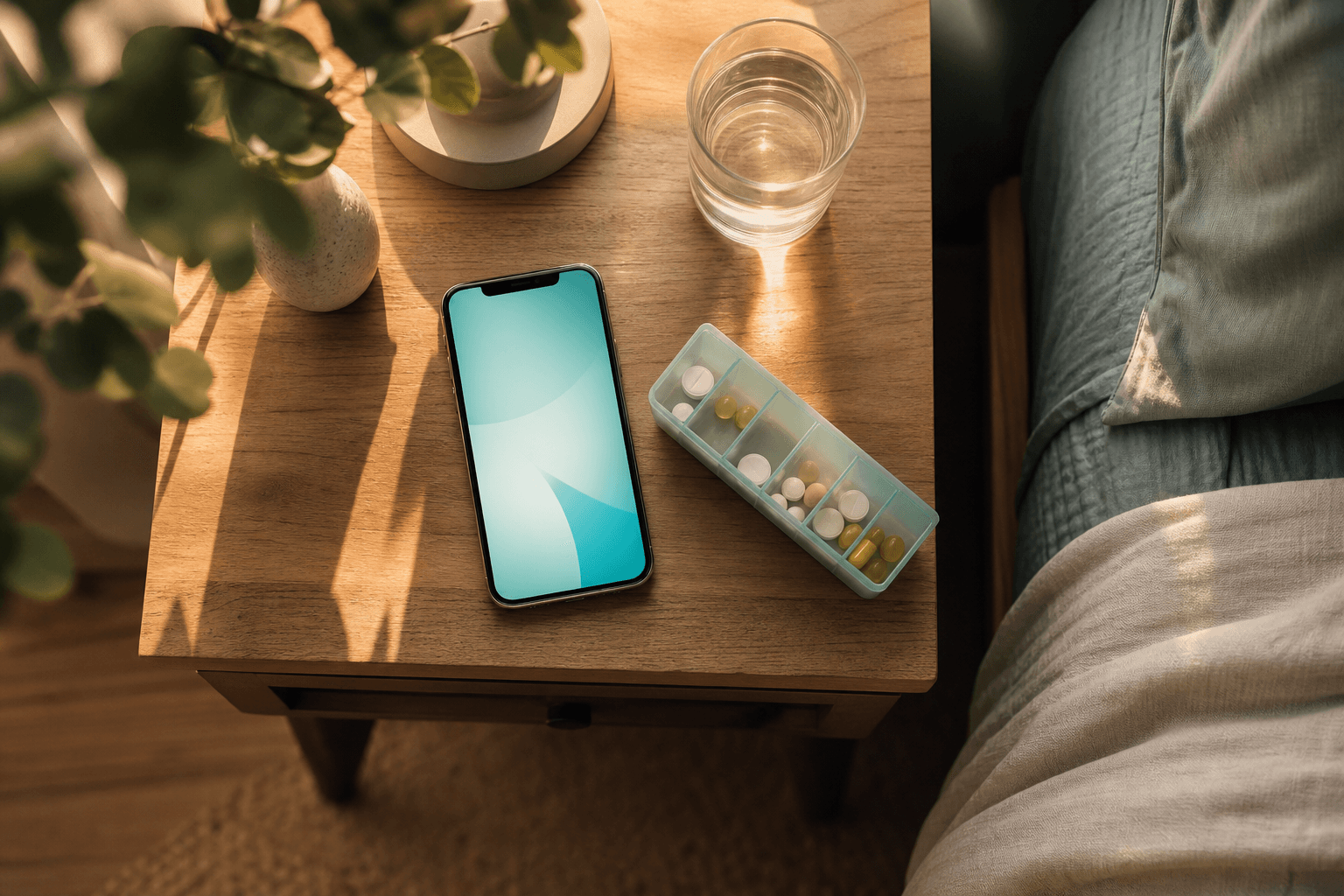
Phone glowing with a Ripple reminder on a nightstand beside a pill organizer and glass of water
↻ Every 3 days · 8:00 AM

“Take medication every 3 days”

Medication schedules don't always fit a 24-hour cycle. Ripple handles every interval from hours to months.

“Water succulents every 14 days”

Plants have their own rhythm. Stop guessing — Ripple reminds you exactly when it's time.

“Change filter every 3 months”

Home maintenance you always forget. Set it once and never think about it again.

App preview

Built in the app. Shown exactly as you'll use it.

Live app screens from the current Ripple build — dark theme, cyan accents, interval tags, and alarm cards. What you see here is what you'll get on iPhone and Android.

9:41

Ripple

9:41AM

+

Thursday, 23 April 2026

Next alarm: 12:30 PM — in 2h 49m

💊

Medication

Today · 12:30 PM

8:00 AM12:30 PM7:00 PM
↻ Every 1 day
🌱

Water the Plants

Tomorrow · 8:30 AM

↻ Every 2 days
🔧

HVAC filter

Jun 24 · 9:00 AM

↻ Every 3 months
AlarmsHistoryTemplatesSettings
Alarms · home

Your intervals, one glance

See next ring times, repeat tags, and categories — the same layout as the shipping app.

9:41

New alarm

Take Medication
7:00 AM
HoursDaysWeeksMonths
−3+

Category

💊 Health

New alarm

Set any interval in seconds

Hours, days, weeks, or months — pick 1 to 99 with no calendar workarounds.

9:41

7:00

AM

Take Medication

↻ Every 3 days

Alarm ring

Lock screen that means business

Full-screen ring with sound, vibration, and a dismiss button you cannot miss.

9:41

History

💊

Take Medication

Today · 7:00 AM

Dismissed
💊

Take Medication

Apr 21 · 7:00 AM

Dismissed
💊

Take Medication

Apr 18 · 7:00 AM

Snoozed
History

Track what actually happened

Dismissed, snoozed, or missed — a clear log for medication and maintenance compliance.

Built right

Everything an interval alarm needs

Designed for people who actually depend on reminders — clean, reliable, and genuinely delightful.

💊

Multiple times per alarm (Pro)New

Up to 6 ring times a day under one alarm — every dose on one schedule, counted as a single alarm.

🔂

Re-ring until dismissed (Pro)New

Missed it? Ripple rings again, up to 6 more times, until you dismiss or snooze.

📱

Home-screen widgets (Pro)New

Your next ring and a live countdown on your home screen, or your next three rings at a glance.

⏱️

True custom intervals

Hours, days, weeks, or months — any number from 1 to 99. No awkward workarounds.

🔔

Built to be dependable

On Android, alarm-clock scheduling with a full-screen ring on the lock screen. On iPhone with iOS 26 or later, Ripple alarms ring through silent mode and Focus, like the Clock app. On older iPhones, or if you decline the alarm permission, Ripple uses notification alarms and silent mode can mute them.

⏭️

Skip a ring or a day

Away this week? Skip the next ring — or all of that day's rings — without resetting your schedule.

📊

Alarm history

See every ring and whether it was dismissed, snoozed, or missed — track compliance.

🏷️

Categories & labels

Health, plants, maintenance, pets, work, or custom — keep a long list readable.

🔁

Keeps repeating

Every alarm repeats on its schedule for as long as you need it, on the free plan and Pro. No ring limits.

📦

Template gallery (Pro)

Install ready-made alarm packs for medication, plants, maintenance, and more.

🎨

Auto theme (Pro)

Matches your device — follows system light and dark mode automatically.

🔊

Premium alarm sounds (Pro)

Extra tones beyond the free set — pick a sound that cuts through when it matters.

What will you set first?

Medication

Every 3 days

Plants

Every 14 days

Pets

Every 30 days

Home

Every 3 months

Fitness

Every 2 days

Meal prep

Every 4 days

Finance

Every 2 weeks

Personal care

Every 5 days

Guides

Interval reminders for real life

Practical guides for medication, pets, plants, pool care, and home maintenance — and how to set alarms that actually repeat on your schedule.

Medication

Best Alarm App for Medication Reminders

Built-in alarms cannot repeat every other day or every third day. Here is why they fail for medication and what to use when a schedule ignores the week.

iPhone Guide

How to Set a Repeat Alarm Every 3 Days on iPhone

The iPhone Clock app repeats alarms daily or weekly and stops there. Here is the workaround for a real every-3-days alarm that rings on the lock screen.

Pool Maintenance

Pool Chemical Reminder App

Chlorine every 3–5 days, shock every 2 weeks — set custom interval alarms for every pool treatment.

Pet Care

Flea Treatment Reminder App

Flea treatments need to be applied every 30 days — not roughly monthly. Set a precise interval alarm.

Plant Care

How Often to Water Succulents

A simple watering schedule by season — and how to remember it without overwatering.

Custom Alarms

How to Set an Alarm That Repeats on Any Interval

Phone alarms repeat daily or weekly and nothing else. Here is how to set one that fires every 2 hours or every 9 days, then keeps rescheduling itself.

Home Maintenance

How Often to Change Your Air Filter

A clear replacement schedule by filter type and household — plus a reminder that fires on time.

Medication Reminders

Best Medication Reminder App for Odd Schedules

Most pill reminders assume one dose a day. Here is what to look for when your schedule runs every other day or every nine weeks, and nothing in the app fits.

Medication Reminders

10 Things to Check in a Pill Reminder Alarm

Ten things worth checking before you trust an app with a dose, from whether it rings out loud to what happens on the day you need to skip one.

Guides

Alarm vs Habit Tracker: Which One Do You Need?

Alarms catch what you must not miss. Habit trackers build what you're trying to become. A quick guide to picking the right tool — or both.

Shift Work

Shift Worker Alarms for Rotating Rosters

Phone clocks only repeat weekly, which is no use on a 4-on-4-off roster. Here is how to set an alarm that repeats every second or third day instead.

Medication Reminders

Medication Reminder Every 4 Hours, Day and Night

Four-hourly doses drift as soon as one runs late. Here is how to set an alarm that counts forward from your actual last dose, not a fixed clock time.

Medication Reminders

Medication Every 6 Hours Reminder App

QID dosing means four times a day at even spacing — not whenever you remember. Set a reminder that holds the interval.

Medication Reminders

Alarm Every 8 Hours for 3x Daily Medication

Three-times-daily doses rotate right through the night. Here is how to set an alarm that repeats every 8 hours and keeps the spacing even overnight.

Eye Care

Eye Drop Reminder App for Timed and Tapering Doses

Glaucoma and post-surgery drops need even spacing, not four taps before bed. Here is how to set reminders that hold the interval through a full taper.

Skincare

Sunscreen Reminder App: Reapply Every 2 Hours

Sunscreen needs reapplying every 2 hours outdoors — and sooner after swimming. Set an interval alarm that actually reminds you.

Baby Care

Baby Feeding Reminder App

Newborn feeds run every 2–3 hours around the clock. How to track intervals from the last feed when you're too tired to do the maths.

Medication Reminders

Injection Reminder App

Weekly, fortnightly, and monthly injections don't fit a weekday repeat. Set an alarm that counts the actual interval.

Diabetes Care

Insulin Pump Site Rotation Reminder

Infusion sites need changing every 2–3 days, timed from the last change. How to set a reminder that tracks the real interval.

Plant Care

How Often to Water a Snake Plant: The Complete Guide

Snake plants need water every 2 to 6 weeks depending on light, pot and season — plus the overwatering signs to watch for.

Plant Care

How Often to Water Orchids (Without Killing Them)

Orchids need water every 7 to 12 days depending on light, pot and season. How to read the roots, and the truth about the ice cube method.

Simple pricing

Free to start. Pro for power users.

Free

$0

Forever free · No credit card

  • Up to 3 alarms
  • One time of day per alarm
  • Rings with no limit
  • All interval types
  • All categories
  • Alarm history
  • Unlimited alarms
  • Multiple times per alarm
  • Re-ring until dismissed
  • Home-screen widgets
  • Template gallery
  • Auto theme
  • Premium alarm sounds

Ripple Pro · Subscription

14-day free trial on either plan

Monthly

$1.99/month

Annual

Save 58%

$9.99/year

  • Unlimited alarms
  • Multiple times per alarm — up to 6 a dayNew
  • Re-ring until dismissed — up to 6 more ringsNew
  • Home-screen widgets — next ring and countdownNew
  • Template gallery
  • Auto theme — matches your device
  • Premium alarm sounds
  • Sign in on a new device and your alarms and history come back — switch phones without losing your schedule

Cancel anytime during the trial in your App Store or Play Store settings.

Best value

Ripple Pro · Lifetime

$19.99 once

Pay once, keep Pro forever — no subscription required.

  • Unlimited alarms
  • Multiple times per alarm — up to 6 a dayNew
  • Re-ring until dismissed — up to 6 more ringsNew
  • Home-screen widgets — next ring and countdownNew
  • Template gallery
  • Auto theme — matches your device
  • Premium alarm sounds
  • Sign in on a new device and your alarms and history come back — switch phones without losing your schedule

If you already subscribe and buy Lifetime, cancel the subscription in the store first — Lifetime does not cancel it automatically.

Built to solve a problem we all have

Ripple was built out of genuine frustration. Setting a medication reminder that fires every 3 days should take 10 seconds on any smartphone — it doesn't, so we built Ripple.

We're a small team that believes utility apps should be beautiful, dependable, and honest about what they do. Ripple uses the most reliable alarm delivery each platform allows.

iOS + Android

One app, both platforms

Any interval

1 to 99 · hours to months

Snooze & skip

Flexible when plans change

Privacy Policy

Last updated: 23 October 2026

Short version: You don't need an account to use Ripple. Your alarms and history stay on your phone. If you choose to sign in, we back them up to our database in Sydney, Australia, so you can restore them on a new phone. We don't sell your data and we don't track you across other apps.

1. What we collect

If you use Ripple without an account

  • Your alarms and alarm history are stored only on your phone. We never receive them.
  • Usage analytics via PostHog, such as which screens you open and which features you use. These are linked to a random ID created by the app, not to your name or email.
  • Crash reports via Sentry, so we can fix what breaks. These are also linked only to that random ID.

If you choose to sign in

We also collect:

  • Your account email. You can sign in with Google, with Apple on iPhone, or with an email and password. If you use Sign in with Apple and choose to hide your email, we receive a private relay address. If you use email and password, Supabase Auth stores the password in hashed form. We do not keep a copy of the password.
  • A backup copy of your alarms: the label you type, the times, the interval, and the category, including any custom categories.
  • A backup copy of your alarm history: when each alarm fired and whether it was dismissed, snoozed, skipped, or missed.

When you sign in, analytics and crash data collected on that phone are linked to your account ID.

Alarm labels are free text, and you decide what goes in them. If you don't sign in, labels never leave your phone. If you do sign in and name a medication, a medical procedure, or anything else personal, that text is stored with your backup. "Morning dose" works as well as the drug name.

2. What we do not collect

We don't ask for your name, your location, your date of birth, or any health records. We don't track you across other apps or websites. We don't sell your data to advertisers, and we never will.

3. How we use your information

  • Deliver your alarms and reminders on schedule
  • Back up and restore your alarms and history, if you sign in
  • Manage your Pro subscription
  • Improve reliability and fix bugs
  • Reply to support emails you send us

We don't use your alarm content for advertising, and we don't use it to train machine learning models.

4. Notifications and device permissions

Ripple asks for notification, exact alarm, and full-screen intent permissions so alarms can ring on time and take over the lock screen. You can revoke these in your device settings at any time, but alarms may not fire as expected afterwards.

Alarms are scheduled and ring on your phone. They work without an internet connection and without an account.

If you sign in on more than one phone, each phone updates its alarms from your backup when it next connects. Ripple does not sync live between devices.

5. Where your data is stored, and who processes it

Without an account, your alarms and history are stored only on your phone.

If you sign in, your backup and account details are stored in our Supabase database, hosted in Sydney, Australia. Our API runs at api.ripplealarm.com.

Some third parties process data in the United States:

  • RevenueCat: subscription and billing management
  • PostHog: product analytics, linked to a random app ID, or to your account ID if you sign in
  • Sentry: crash reporting, linked to a random app ID, or to your account ID if you sign in

Other processors:

  • Supabase: account sign-in and backup database (Sydney)
  • Apple and Google: Sign in with Apple, Sign in with Google, and payment processing through the App Store and Google Play

For users in the UK and EU, transfers outside your region rely on our providers' GDPR safeguards, including data processing agreements and Standard Contractual Clauses where applicable.

We don't share your alarm content with anyone outside this list.

6. Security

Data on your phone is protected by your device's standard operating system encryption. Backups in our database are encrypted at rest using AES-256 and in transit using TLS.

No system is perfectly secure, but we keep the amount of personal data we hold deliberately small.

7. Data retention and deletion

Without an account: your alarms and history live only on your phone. Uninstalling Ripple deletes them, and we can't recover them. Your phone's own backup (iCloud or Google) may include them, depending on your device settings.

With an account: your backup stays in our database until you delete alarms or close your account. Signing out stops backing up that phone but does not delete the backup. Uninstalling the app does not delete your backup either.

Your alarms stay on the phone and keep ringing.

Closing your account deletes your account email and profile, your backed-up alarms, alarm history, custom categories and sign-in credentials from our database. We hold no further backups, so this can't be undone. Alarms already on your phone stay there until you delete them or uninstall the app.

Some records sit outside our database. Apple and Google keep their own record of your purchases, which we can't delete. RevenueCat, which manages subscriptions for us, also keeps a purchase record, and you can ask us by email to have it removed. Limited diagnostic data held by our analytics and crash-reporting providers is kept under their own retention schedules. You can ask us to have that removed too by emailing hello@ripplealarm.com.

You can delete your account from Settings → Delete account in the app, or at ripplealarm.com/delete-account.

8. Your rights

You can stop using an account at any time and keep using Ripple without one. You can also email hello@ripplealarm.com to request a copy of your data, correct it, or have it deleted, and we'll act on it within 30 days. If you don't have an account, the only data we hold about you is analytics and crash data linked to a random app ID, plus a purchase record held by our subscription provider if you bought Pro.

If you're in the UK or EU, you have rights under GDPR including access, correction, deletion, restriction, and portability, and the right to complain to your local data protection authority. If you're in California, you have rights under the CCPA. We apply the same standard to everyone regardless of where you live.

9. Children

Ripple isn't directed at children under 13 and we don't knowingly collect their personal information. If you believe a child has created an account, email us and we'll remove it.

10. Changes

We may update this policy. Material changes will appear on this page with a new date, and we'll tell you in the app before they take effect.

11. Contact

Questions about privacy, or a request about your data? Email hello@ripplealarm.com. We reply within 1–2 business days.


We'd love to hear from you

Bug report, feature request, account deletion, or just saying hi — we read every email. We typically reply within 1–2 business days.

Free to download.
Ready in seconds.

Set your first interval alarm in under 60 seconds.